Features / Ads
Measure
Paid media and GA4, in the same workspace
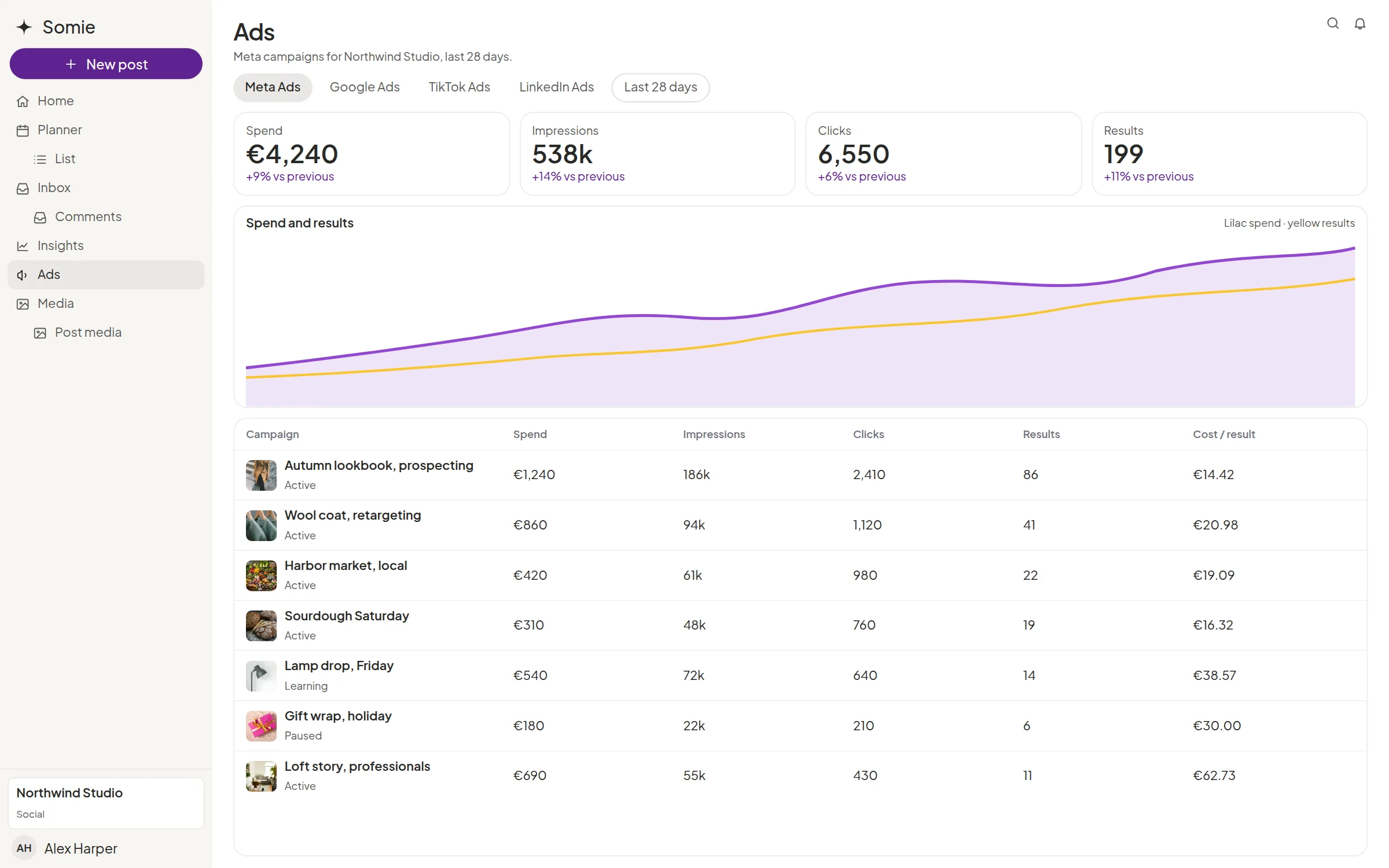
Ads is the paid-media page for a workspace. Pick the ad account, then read Meta Ads, Google Ads, TikTok Ads, LinkedIn Ads, Pinterest Ads, and Google Analytics in the same place as the organic plan. Organic Insights stays on its own page.


One account per network
Connections keeps one account for each network. Connect, reconnect, or disconnect it from Workspace settings.

The metrics the account returns
Spend, delivery, and the results the connected ad account provides. Somie shows that report in the workspace.
Google Analytics beside the ads
GA4 sits with the ad networks, so the meeting can move from spend to site traffic without another login.

Next to the Planner
The posts the client approved and the ads that ran are both in the workspace. The monthly conversation does not start in a spreadsheet.

What the client sees
Ads belongs to that client’s workspace. Another client’s ad accounts are not in the list.
Explore more features
Insights
Reach, audience, and the period you choose, next to the same client space.
Planner
The month on a calendar and a list, in the client’s own space.
Inbox
Comments and messages in one queue, with the post still beside the thread.
Approvals
The client accepts, requests changes, or moves the date in their own space.
Questions about ads
Is this the same screen as Insights?
No. Insights is the organic view: reach, engagement, audience, stories, and competition. Ads is paid media and Google Analytics.
Which ad networks are in the product?
Meta Ads, Google Ads, TikTok Ads, LinkedIn Ads, Pinterest Ads, and Google Analytics. A network appears when that account is connected.