Features / Inbox
Reply
Comments and messages, answered from the client space
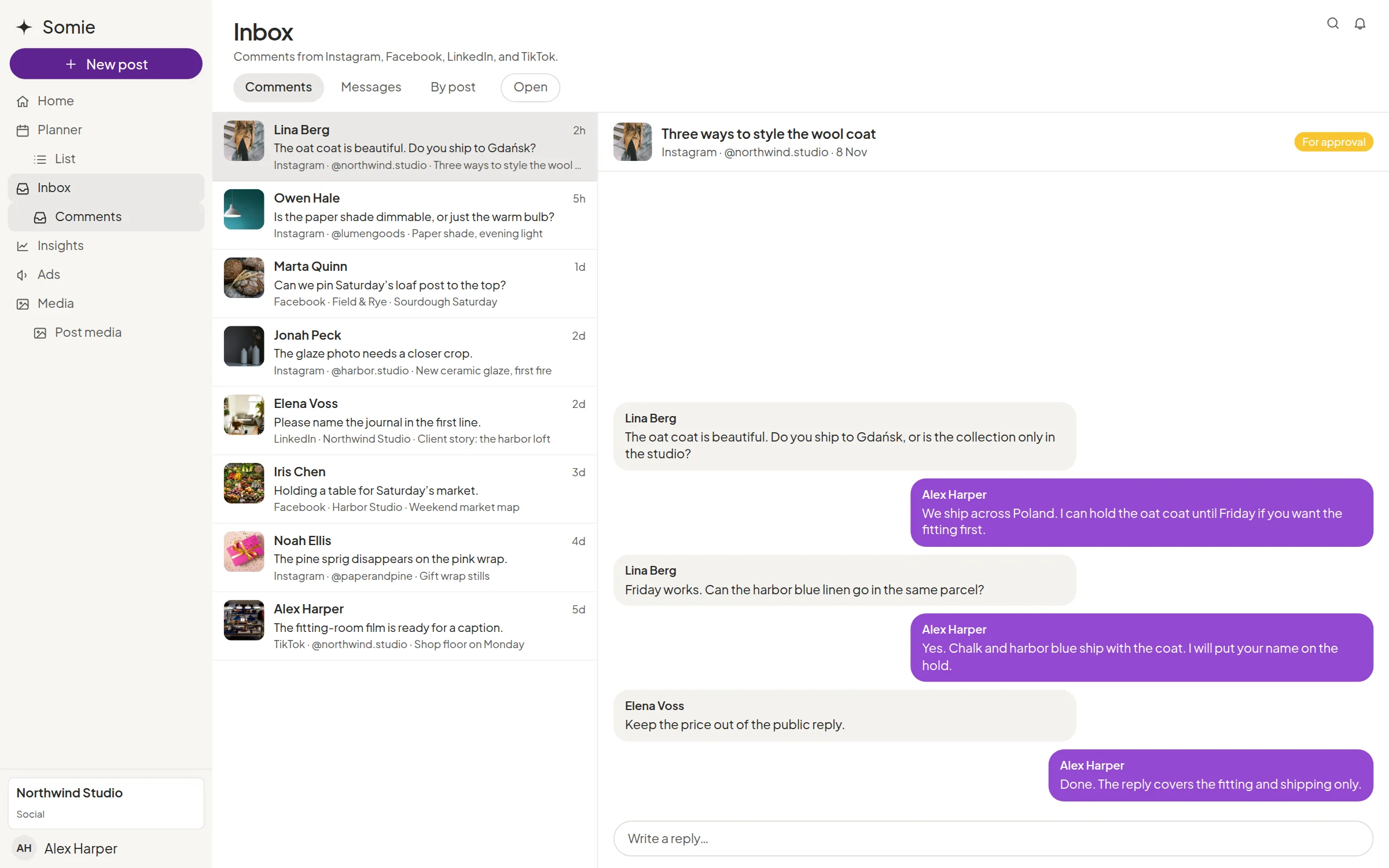
The inbox is the workspace queue for comments and messages. Switch All, Open, Done, or Later, turn on Assigned to me, and reply without leaving the thread. Open the post from the same screen. Private messages are available for Instagram, Facebook, and X.


Comments, messages, and by post
Work the queue as comments, messages, or grouped by post. Filters narrow it. The layout is two resizable columns: the list, and the thread.

Open, Done, and Later
Mark a thread Open, Done, or Later. Later can come back tomorrow or next week. Assigned to me shows only what is yours.

The post, the media, and saved replies
Show the post from the thread, including media on the comment. Saved replies keep the lines the team uses again.

A suggested reply
AI can propose a reply. Someone on the team still sends it.

What the client sees
The inbox belongs to the client space the team is working in. It is a working tool for the company, next to the posts that client already approved.
Explore more features

AI
A suggested reply a person still sends, and a read-only key for one workspace.

Insights
Reach, audience, and the period you choose, next to the same client space.

Approvals
The client accepts, requests changes, or moves the date in their own space.

Planner
The month on a calendar and a list, in the client’s own space.
Questions about inbox
Will AI reply to customers by itself?
No. AI proposes a reply in the inbox. A person sends it.
Does the inbox include every network’s private messages?
Private messages are supported for Instagram, Facebook, and X. Somie connects seven networks for the wider product, and that is a different list from the DM list.