Features / Competitors
Measure
Your client’s numbers, next to the competitor’s
Add the profiles you want to watch and compare them with the client. The point is the monthly conversation: what moved, and how the client sits next to the names they care about. This is profile comparison, not a social-listening product and not automatic moderation.

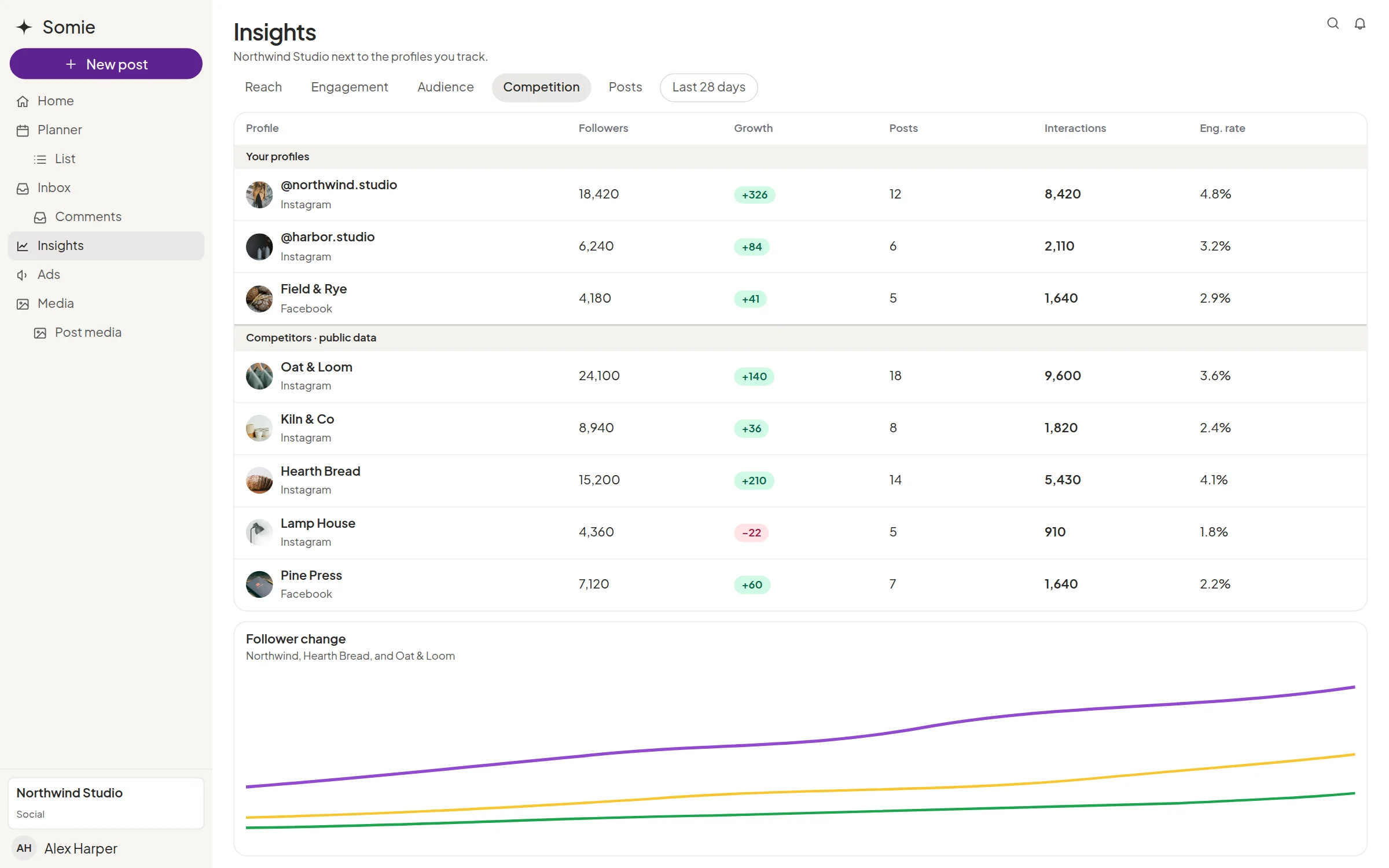

Profiles worth watching
Track competitor profiles from the client space instead of keeping a side spreadsheet of links.

Client beside competitor
Compare the client with those profiles so the meeting starts from the same screen.

Paired with Insights
Competitor comparison sits next to the client’s own account and post stats, including ads when that data is available.

What this is not
Somie does not claim keyword listening, share-of-voice scoring, or auto-hiding comments. If you need those, say so on the demo and we will tell you plainly.

What the client sees
The comparison is ready in the client’s space, with their own numbers. You are not exporting five tools into one slide the night before.
Explore more features

Insights
Reach, audience, and the period you choose, next to the same client space.

Inbox
Comments and messages in one queue, with the post still beside the thread.

Approvals
The client accepts, requests changes, or moves the date in their own space.

Planner
The month on a calendar and a list, in the client’s own space.
Questions about competitors
Is this social listening?
No. It is tracking competitor profiles and comparing them with the client. It is not a listening query across the open web.
Can the client see the comparison?
It lives in their space, with the rest of their reporting. What each role sees follows the fixed roles: superadmin, admin, company employee, and client.